Thursday, December 24, 2009

Procedural Starfield Texture (First Go)

I decided to try my hand at a procedural starfield. I figured it’d be an easy enough shader to do (I’m still a total beginner) plus I’ll need to use the same techniques to generate cached images of planet patches (previous GPU noise posts were generated per-pixel every frame). So I started off with some blue fractal Brownian motion noise for the background:

stars_fBm

And added some code to make simple noise white if it were over a certain threshold. I thought these would appear as stars, but it was all blobby:

stars_fBmn

So then I scaled it by passing p*scale instead of p to inoise:

stars_fBmsn

Not bad… but the stars (little blobs) are too generic so I added in another layer of noise but at a second scale (bigger blobs) so it looks like brighter stars or clustering:

stars_fBmsnc

It looks ok… a bit lame though… The problems I see are that the stars have aliasing artefacts and the scene doesn’t … impress. Zoomed in the stars look crap, like Tetris blocks or something:

stars aliased unimpressive

I think it needs some effects like glow or bloom or MORE BLOOM! So I’ll look into that next.

Here’s the shader code so far, pretty simple stuff:

vertexOutput VS(vertexInput IN)
{
    vertexOutput OUT;
    OUT.hPosition = IN.position;
    OUT.texcoord  = IN.texcoord * noiseScale;
    OUT.wPosition = IN.position.xyz * noiseScale;
    return OUT;
}

float4 PS_test(vertexOutput IN): COLOR
{
  float3 p = IN.wPosition;
  float res = fBm(p, oct, lac, gain);
  float4 color = res;
  color.rg = 0; // make it blue
  color.a = 1;
  float star = inoise(p * speckleScale);
  if (star > speckle)
    color = lerp(color, star, 0.9);

  float starcluster = inoise(p * speckleScale2);
  if (starcluster > speckle2 + 0.1)
    color = lerp(color, starcluster, 0.9);
  return color;
}

technique test
{
    pass p0
    {
        VertexShader = compile vs_3_0 VS();
        PixelShader  = compile ps_3_0 PS_test();
    }
}

Monday, December 21, 2009

GPU Perlin Noise

I updated my DirectX before starting and somehow my MDX project became all liney, like this:

Uhhh

Because of this, and because most of the online samples I find to plagiarize be inspired by are usually in XNA I decided to convert. Unfortunately there’s no automatic conversion tool so I had to open a new project, add my old files and try to fix up the errors. Some things were annoying, like the lack of absolute mouse movement and having to load a font from a file (size is fixed in the file) but overall the classes are better named and organised. Here’s my first shader on the planet in XNA, stripes:

stripey

So after a quick crash course on shaders, I found Perlin had published HLSL code for Improved Perlin noise in GPU Gems 2 – all of which is free online! I had real trouble getting it going however, every texture I generated was blank, and I didn’t know enough about HLSL to figure it out. There seemed to be a tutorial on ziggyware but it seems ziggyware’s been under attack from hackers so I couldn’t get it. I tried out some other projects like Drilian’s but again the XNA version I made the noise didn’t work. Eventually I found a post where someone had similar problems, which led me to the Google cache of the XNA GPU Perlin noise tutorial – by Patrick of recreationstudios (he’s made some amazing progress since I deserted this project 2 years ago). All I needed to do was initialise the textures all the noise functions use. Perlin had functions to do this in HLSL, but I hadn’t a clue how to call them, supposedly you can’t in XNA so I moved the HLSL code to C# then create the textures on the CPU and set the textures on the GPU. Patrick’s tutorial explains this much better (prize-winningly better apparently) so I won’t go into details.

So here are some screens of different types of Perlin noise on the planet:

Noise

NoiseRidgedMF

In these shots the noise is being calculated per-pixel each frame based on the geometry. Surprisingly, getting closer to the planet so the level of detail is higher (the 4 child patches are drawn instead of the parent patch) didn’t change the surface visibly. This had to do with the fact that there wasn’t much geometry difference between the parents and the children, when I changed the patch size from 33x33 to 5x5 there was definite popping in the textures.

Here’s a video of flying about a bit:

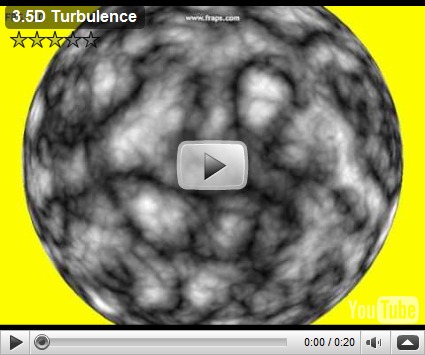
Update: shading every frame means I can animate!

Wednesday, December 9, 2009

Procedural LOD Planet Textures

I got a rough draft of procedural LOD planet textures working and thought I’d share some screenshots. The main difference between this and the last post is that this planet subdivides its patches and generates a new texture for each new patch as the camera gets closer and the planet in the last post was just static (it only generated vertices and textures at start up). Currently, all the textures are created in software so it’s hella slow, too slow to play really. Once a texture is generated and cached it’s very fast (capped at 60fps). On-the-fly however even with a texture size of only 17x17 pixels (same amount of vertices per patch) it’s jerky. Here are 6 levels of 256x256 textures zooming in on the one spot.

ProceduralTextureLevel0

ProceduralTextureLevel1

ProceduralTextureLevel2

ProceduralTextureLevel3

ProceduralTextureLevel4

ProceduralTextureLevel5

Next steps are to try to speed it up so it’s acceptable to play with, so I’ll probably do 2 things; use EQATEC to profile my app and do the image generation in hardware. But before I do that, I somehow messed up the geometry so it’s clockwise instead of anti-clockwise… or the other way around… whatever I did anyways I’ll try to undo.

Update: Here’s a video, fraps and windows movie maker seem to work well with youtube, my previous efforts at uploading video turned out horrible! I’m only running the textures at 17x17 so the video runs smoothly (i.e. I know it looks like a big steaming pile of sh!t).

Monday, December 7, 2009

Seams Like Years…

It’s been a while since I updated this… a really long while, but I’m going to try to get back into it again. My current problem is something I never really fixed the last time: seams. Here’s an example:

Seams

Weirdly enough if I save the textures I generate for the faces they line up fine with no seam (the darkish hole should line up with the pit above):

NoSeamsOnLeftBackAndRightTextures

So, having changed my texture generator around a bit I’m 100% sure it’s my texture code some sort of floating point error how MDX is texturing the faces. There must be a way to get MDX to just display the bitmap I give it & not mess up the edges…

Update 1: I had some mag & min filtering going on which was causing some (but not all of my seam problems. When I got rid of this code:

//    device.SamplerState[0].MinFilter = Direct3D.TextureFilter.Anisotropic;
// device.SamplerState[0].MagFilter = Direct3D.TextureFilter.Anisotropic;


It looks like this now (still a problem with top and bottom patches but going from front to left to back to right and back is seamless now):


FilterSeamsFixed


Not sure what’s causing it, but you can see from front to top to back to bottom the textures I’m generating seem to be slightly offset – the image on the right offsets them in the correct direction and they seem to match much better.


nooffset offset


Update 2: There were some errors in how I collated the heights from sub-patches, now top to bottom match up perfectly, and I have no seams!


NoSeams


NoSeamsTextures


Next back to the adaptive planet (the one that properly changes its patches depending on LOD) and an attempt at making the textures in hardware.

Wednesday, September 24, 2008

Stochastic LSystems

I don't have much of an excuse for not working on this poor project and it's withering blog.  Work's gotten really busy but also I've gotten interested in a few other side projects (I want to build myself a monome & I want to do these Wii hacks)... I'm hoping to bring the new stuff into this project somehow so that it doesn't call social welfare on me for neglect... and if it does I hope it doesn't walk into another door or fall down the stairs again.

A very simple change to where I left off was to introduce a bit of randomness to the L-System so that not all plants look the same. The only difference between a normal L-System and a Stochastic one is that with the stochastic one there's a certain probability of each production rule being applied.  So now the plants appear in all sorts of shapes and sizes but still plant-like:

stochasticmedweed2 stochasticmedweed stochasticbigweed stocasticsmallweed

In order to show the 3D-ness of them all I arranged a few plants in a grid and tried to record a fly-about.  Unfortunately it wasn't smooth at all (I've only a track-pad - I'll get a mouse soon) so I put a bit of velocity into the camera movements so that the camera keeps going whatever direction I pushed in. I tried to move about randomly in time with whatever music I had on in the background.  It's hard to describe but it was really really fun - I was terrible at it and messed up so many takes spinning out of control into yellowness.

I got a couple of decent takes (relatively speaking), but when I try to compress it for youtube it turns out all jerky and crappy so I might give it another bash tomorrow and update this post. 

Friday, July 25, 2008

L-Systems in 3D (lines)

It's been WAY too long since I updated this, I'd like to say I've been doing more important things like saving the world or something, but nope, nothing.  I've spent most of my free time addicted to a game called Oblivion, it's a great game.  I guess you could say I have been doing some good by saving the good citizens of Cyrodiil.  Although... that's not strictly true, I murdered a good few of them.  To make it seem like I wasn't just playing a game all the time let's just say I was doing research...

I'll be away from the XBox while I'm back in Ireland so I decided to pick up where I left off so I migrated the L-System stuff I had in the WPF test project over to my DirectX project.  It was pretty easy, here's the fractal plant in 2D but in the DirectX app.

lsystemFractalPlantInDX

I then wrote a turtle-graphics class that would traverse the L-System's result and draw in 3D.  The result is still pretty flat because it's just lines and a picture doesn't really do it justice, so I uploaded a video to show what it looks like:

I'm not sure what I should do next... but I think I'll have a go at making the 3D turtle graphics construct a polygon model from the L-System output instead of a line-model.  It doesn't get me any closer to procedural cities but it'd be cool to have procedural trees.

Friday, June 13, 2008

L-Systems

I spent some spare time today doing a first draft at an L-System.  I was always intrigued by how nature is apparently governed by mathematics like the Fibonacci sequence.  L-Systems are basically grammars used commonly to model growth as it occurs in nature and to develop self-similar fractals.  A stochastic L-System (an L-System where each possible change has a certain probability of being selected) is what was used in this procedural cities paper for SIGGRAPH 2001.  There are some other methods, but I don't think they are as realistic as what Mueller and Pascal had done.  The L-System (with some add-on rules) is used to draw out the streets and also to generate buildings with different LODs.  I'm not sure where to go from my basic random-blocks-on-a-plane so I decided to look into L-Systems to try and generate a realistic city.  But first things first, here's a fractal plant (L-Systems in WPF):

lsystemFractalPlant

I coded a basic L-System and turtle graphics (something that draws whatever the L-System generates by following it like a path) and got the grammar for the plant on the wiki page.  It looks very like something you'd find in nature, but it all follows a strict grammar with only 2 rules and if you look for it, you can see the self-similar patterns.  It does take a while to execute however, especially at high iterations.  This site has a few of the common L-System grammars in a java app so you can play about with different grammars/iterations etc. and here's a gallery of other simple fractal forms.  Here's one more from my little app before I hit the hay - an arty close-up of part of a Koch snowflake:

lsystemKochSnowflake

I'll be honest, it's not arty, what it is is it's too fecking late to be messing about with WPF is what it is so screw you! Goodnight.